Meetings with Buyers
The scheduling online meetings feature is only available for premium suppliers.
Set meeting availability
To receive video call requests from buyers, you need to set your available time slots.
All time slots are marked available by default, but you may choose to update your meeting availability to receive requests only on specific times.
To update your meeting availability:
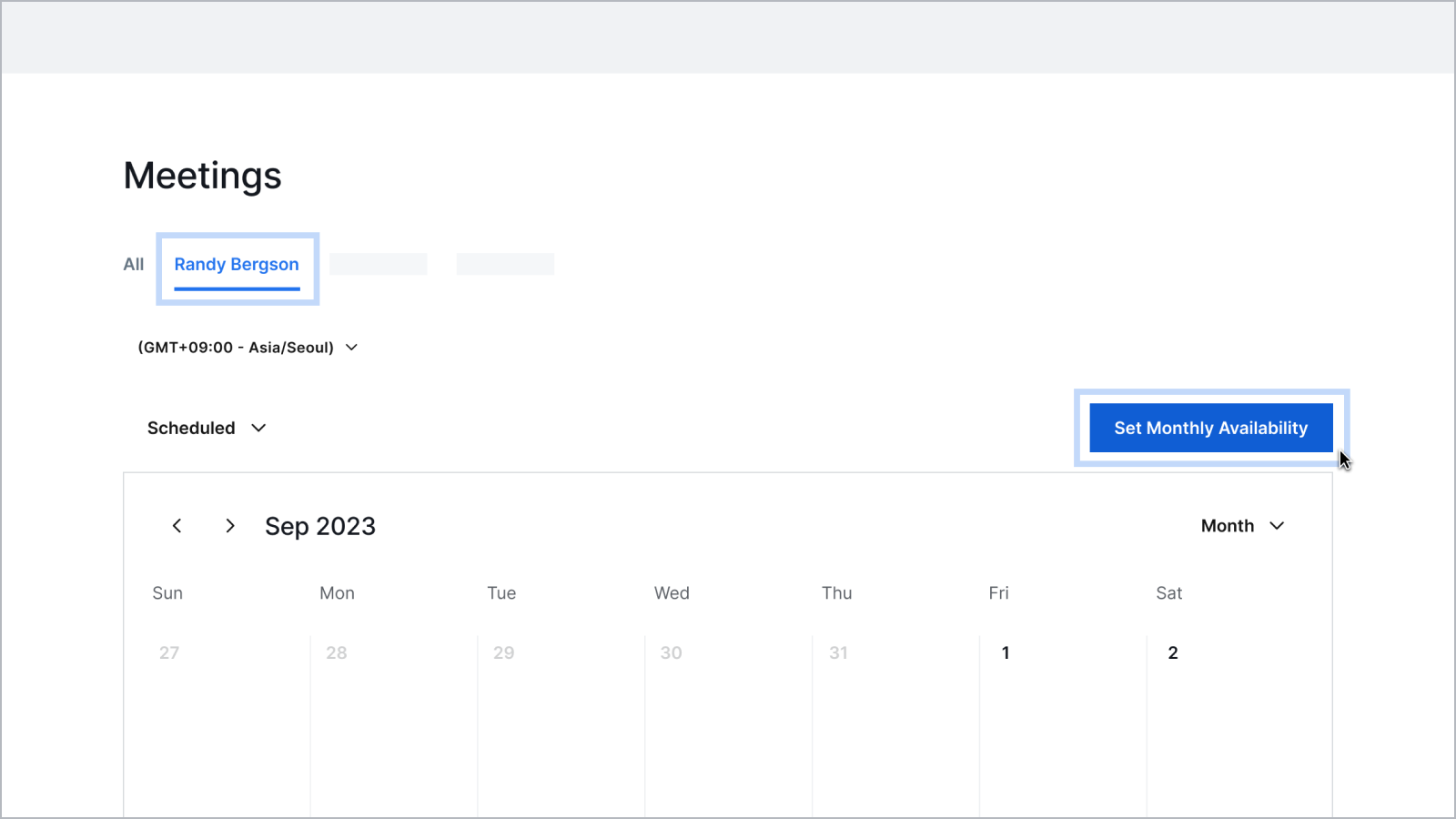
- Go to Company Workspace - Meetings.
- Click your name on the tab.
- Click Set Monthly Availability.
- Set your available time and click Save Changes.
Schedule meetings
When a buyer schedules a meeting with you, you will receive an email notification containing the buyer's company information.
Manage meetings
Go to Company Workspace - Meetings to manage your meetings.
You will be able to view video call requests under the Pending Confirmation Inbox. You can confirm pending requests or rescheduled past requests that were not confirmed.
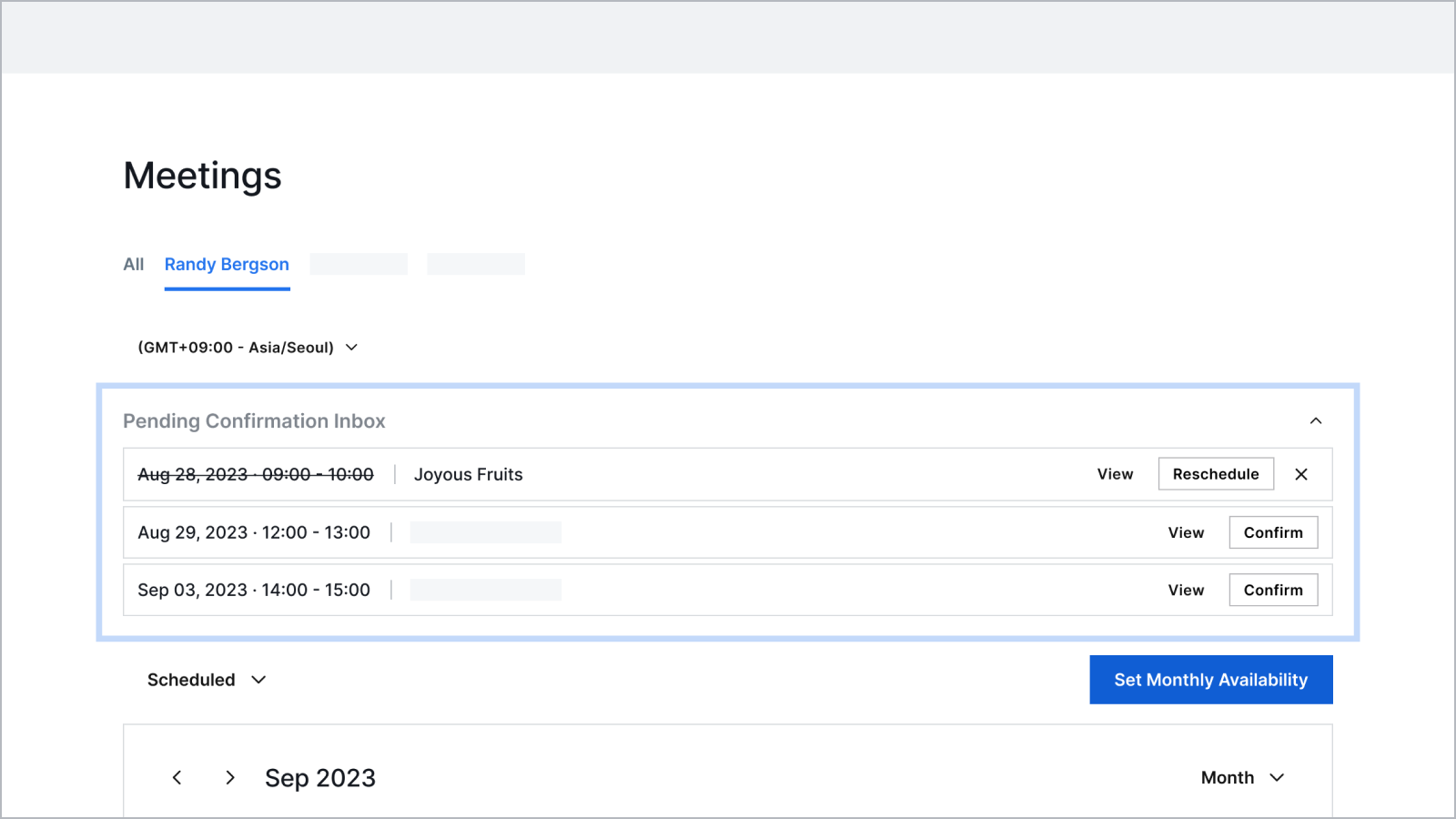
Click on the meetings on your calendar to view more details. You can also request to reschedule, cancel, or join meetings from here.
Attend meetings
The video call meeting is open 10 minutes before the scheduled start time. Make sure that you’ve allowed your browser to access your camera and microphone.
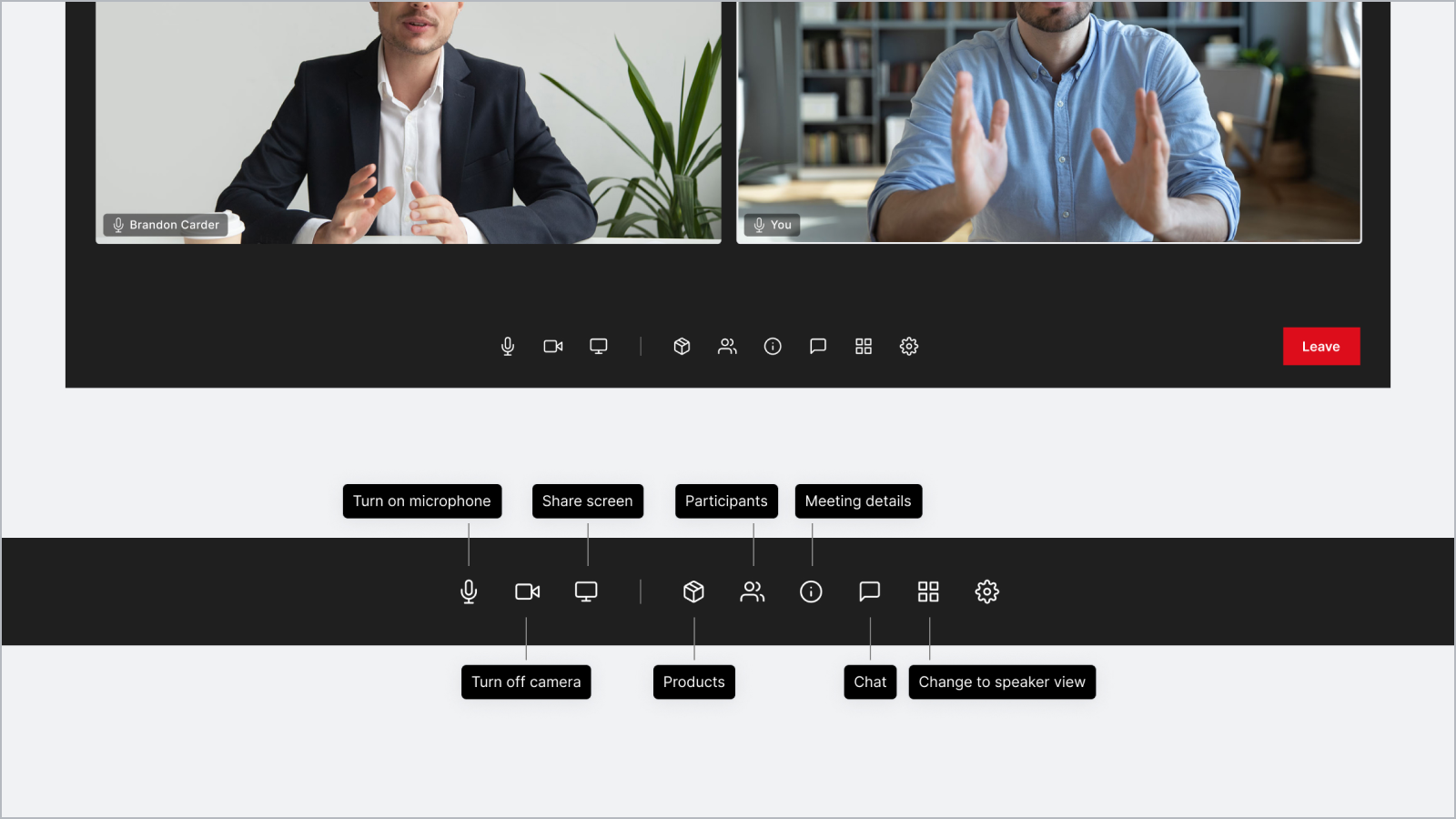
During the video call meetings, you can take the following actions:
- Turn on/off video and mute/unmute microphone
- Share your screen
- See the supplier details and the list of participants in the meeting room
- Chat with other participants in the meeting room
- See your products
- See the meeting details