Search
Search
You can quickly find the information provided in Tridge by searching for products. Search for products of your interest or explore top trending products in Tridge.
Search in Tridge
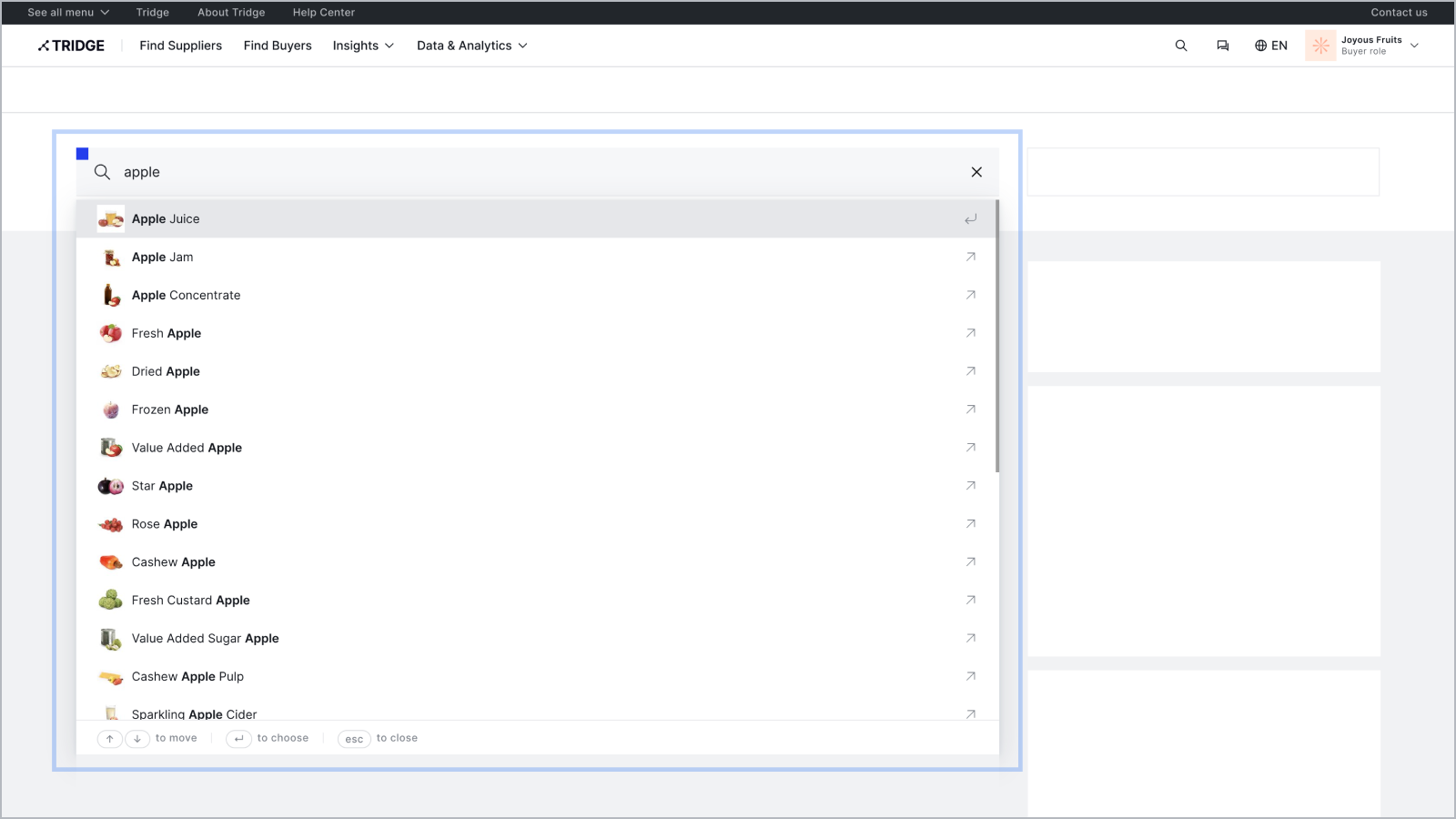
How to search in Tridge:
- Click the search field at the top of the homepage.
- Type what you are looking for or scroll through the list below the search bar.
- Click the relevant product that appears in the list.
Tip: Select a product that appears from the list for more targeted results.
Browse trending products
How to search for trending products:
- Click the ranking field at the right side of the homepage.
- To search for trending products, click the product that interests you.
Note: The ranking field lists the top 10 most popular products from the past 7 days.
Explore search results
You can sort and filter your search results to find exactly what you need. Click Market Overview, Posts, Products, Suppliers, Buyers, RFQs, Insights, or Data at the top of the search results page to switch between result types.
Through searching, you can obtain the following information:
- Market Overview: Detailed insights into agri-food products, covering global, local and targeted markets.
- Post: Post uploaded by other users related to the searched product.
- Products: List of products uploaded by suppliers.
- Suppliers: List of suppliers who sell the searched product.
- Buyers: List of buyers who source the searched product.
- RFQs: List of RFQs related to the searched product.
- Insights: List of insights contents related to the searched product.
- Data: Price Indices, Price Entries, Meal Indices, Weather Data, Trade Data, Production Data and Seasonality data related to the searched product. You can narrow down the results by clicking checkboxes at the right side of the page.
'쿠키 허용'을 클릭하면 통계 및 개인 선호도 산출을 위한 쿠키 제공에 동의하게 됩니다.
개인정보 보호정책에서 쿠키에 대한 자세한 내용을 확인할 수 있습니다.
'쿠키 허용'을 클릭하면 통계 및 개인 선호도 산출을 위한 쿠키 제공에 동의하게 됩니다.
개인정보 보호정책에서 쿠키에 대한 자세한 내용을 확인할 수 있습니다.