Check every deduction on your importers' settlements
One consignment settlement shows whether commission, ripening, freight and unloading add up from gross sales to the amount received. As settlements build up, compare net per box across importers.
Free. No payment details. Only your company sees your settlements.
The settlement problem
Deductions are hard to see on a settlement
Formats
Every importer uses a different format
Line items are named and ordered differently, so a season of settlements is hard to reconcile.
Deductions
Above-average deductions go unnoticed
Commission, ripening or unloading can run above past settlements, and one page at a time it does not show.
Choosing importers
You cannot tell which importer paid more
Without net per box and days to payment side by side, next season's importers are chosen on instinct.
What you can do in Tridge Ark
Settlement checks, importer comparison and market prices
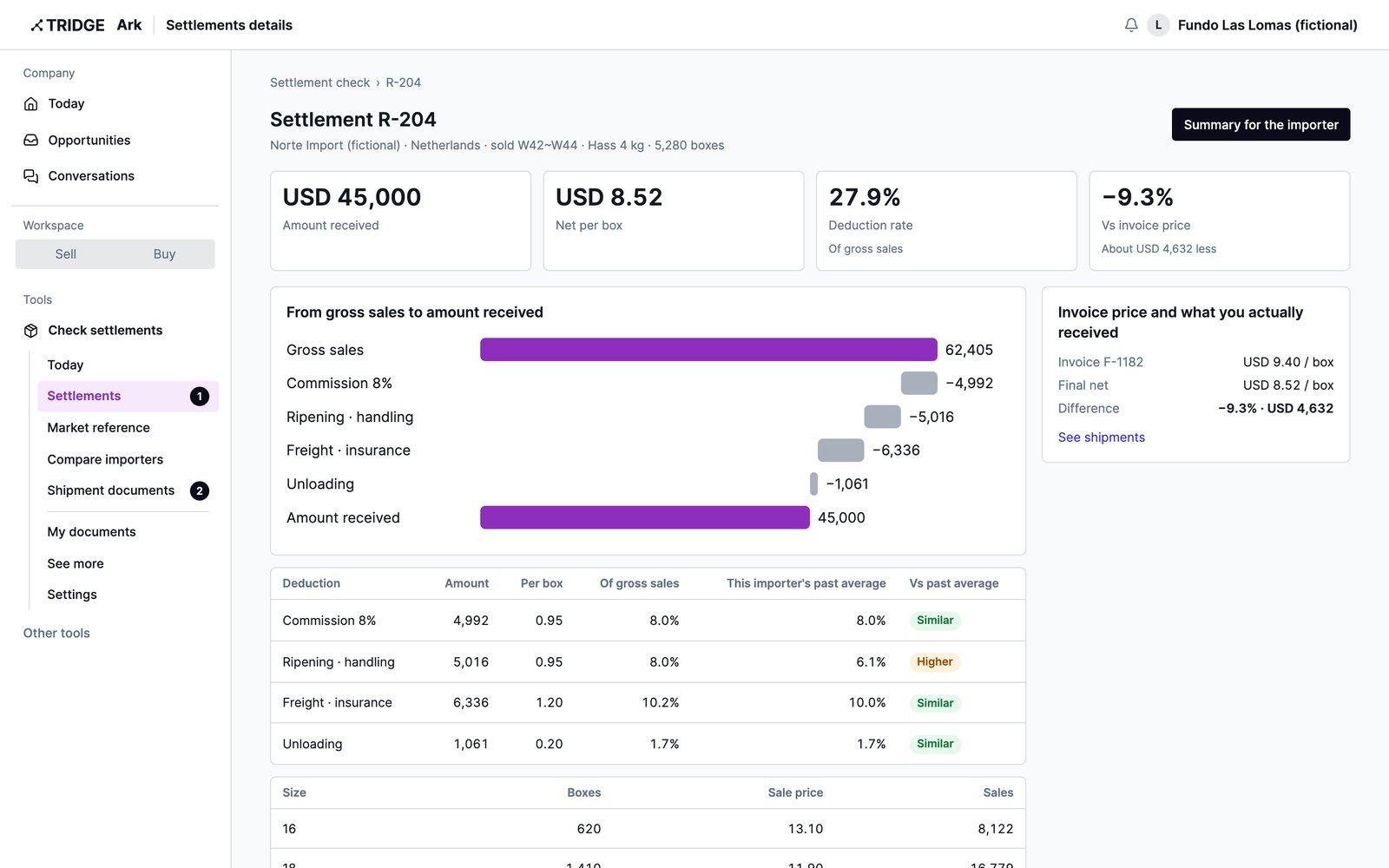
Check settlements
Every deduction, checked line by line
AI reads gross sales, deductions and the amount received in any format and verifies the math. Deductions above this importer's past average are flagged.
- Invoice price vs amount actually received
- One-page summary by item for the importer
- Review and correct any figure read
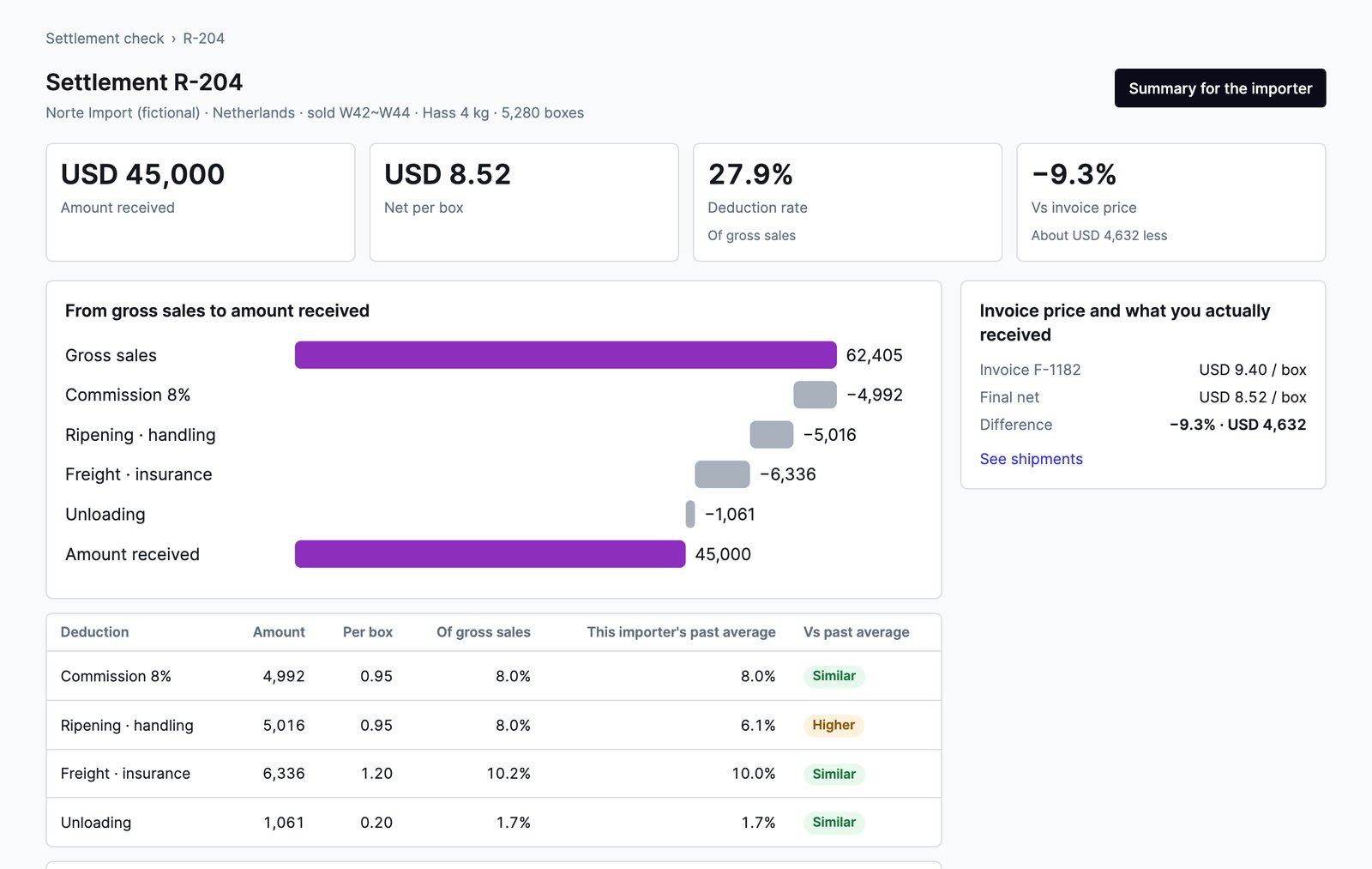
Compare importers
Pick next season's importers on results
With settlements from three different shipments, see each importer's average deduction rate, ripening per box and days to payment side by side.
- Net per box and deduction rate by importer
- Sale price by size
- Importer names visible only to you
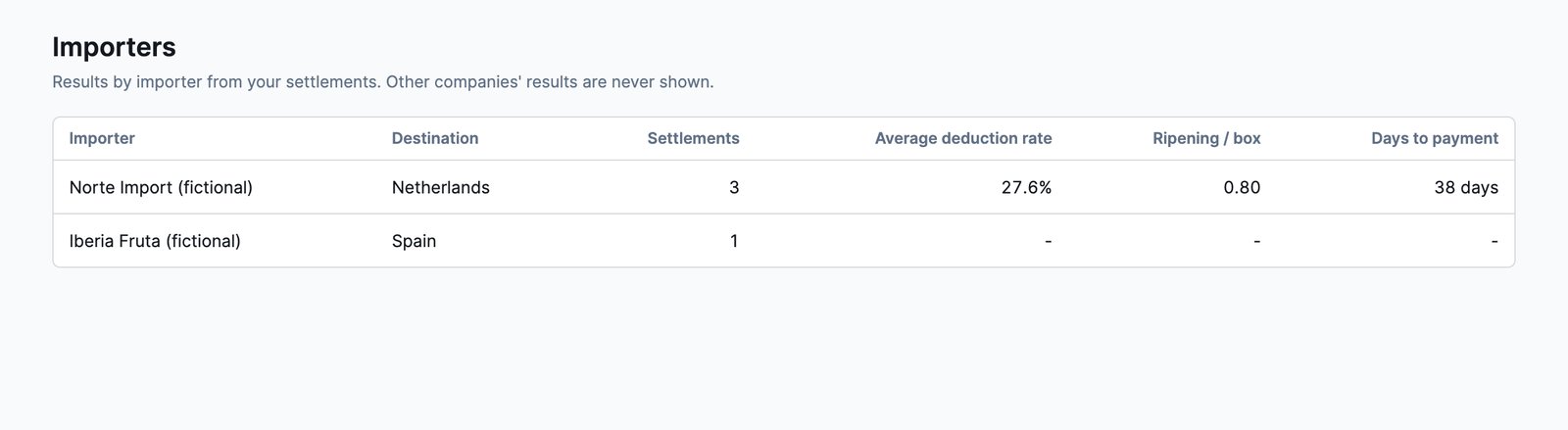
Market reference
Your invoice against declared prices
Your invoice price is placed on the FOB range declared for the same product and destination, with destination shares and the monthly trend.
- Shown with five or more exporters on record
- Destination shares and 12-month trend
- Opens with one settlement or invoice
How to start
Start with one settlement
- 01Log in with TridgeThe same account as Eye and Ark. Signing up takes a minute.
- 02Pick products and destinationsSee how many exporters are in the declaration records first.
- 03Upload the settlementUpload a PDF or photo and AI reads it. Confirm the figures to open the check and the market range.
Data principles
Settlements and importer names stay with your company
Frequently asked questions
Is it really free?
Yes. There are no payment details. The market reference opens with the settlement or invoice you upload, not a fee.
Which documents can I upload?
The consignment settlement (liquidación) and the commercial invoice and packing list for the same shipment, as PDF, PNG or JPG.
Can you read every importer's format?
Yes. AI reads gross sales, deductions and the amount received regardless of format. Blurry cells or figures that do not add up are flagged, and you can correct them.
Can other exporters see our settlements?
No. Settlements and importer names are visible only on your company's screens.
Does it work for fixed-price sales?
Your invoice shows where you sit in the declared price range. Settlement checks and importer comparison are built for consignment.
How current is the declared price range?
Export declaration records are usually published two to three months late and do not capture every shipment. The page shows which month the records reach, and no range appears with fewer than five exporters.
Shipper, price and share information is based on Peru's export declaration records. The records are published with a delay and do not capture every shipment, so they can differ from actual trade. They are a reference for your business decisions.
You can now start without an invitation
Sign up, verify your company, and go straight to the matching tool in Tridge Ark. Verification takes about a minute during sign-up. If it goes to document review, the link in the result email takes you there.