Find new shippers first. Bid on their freight requests.
See which shippers started shipping to new destinations in Peru's export declarations, and why. Bid in Ark on freight quote requests from exporters and importers on Tridge.
Free. No payment details. Start with one past freight quote.
The sales problem
New business stays with shippers you already know
New shippers
You cannot see who just started shipping
Export declaration records are vast and published late. Picking out shippers moving into new destinations by hand takes time you do not have.
Quote requests
Quote requests only come through contacts
Shippers comparing rates struggle to find new forwarders. Forwarders never hear about those requests.
Shipment documents
Cross-checking documents takes hours
When the invoice, packing list and B/L disagree, the schedule slips right before departure.
What you can do in Tridge Ark
Prospecting, bidding and document checks in one place
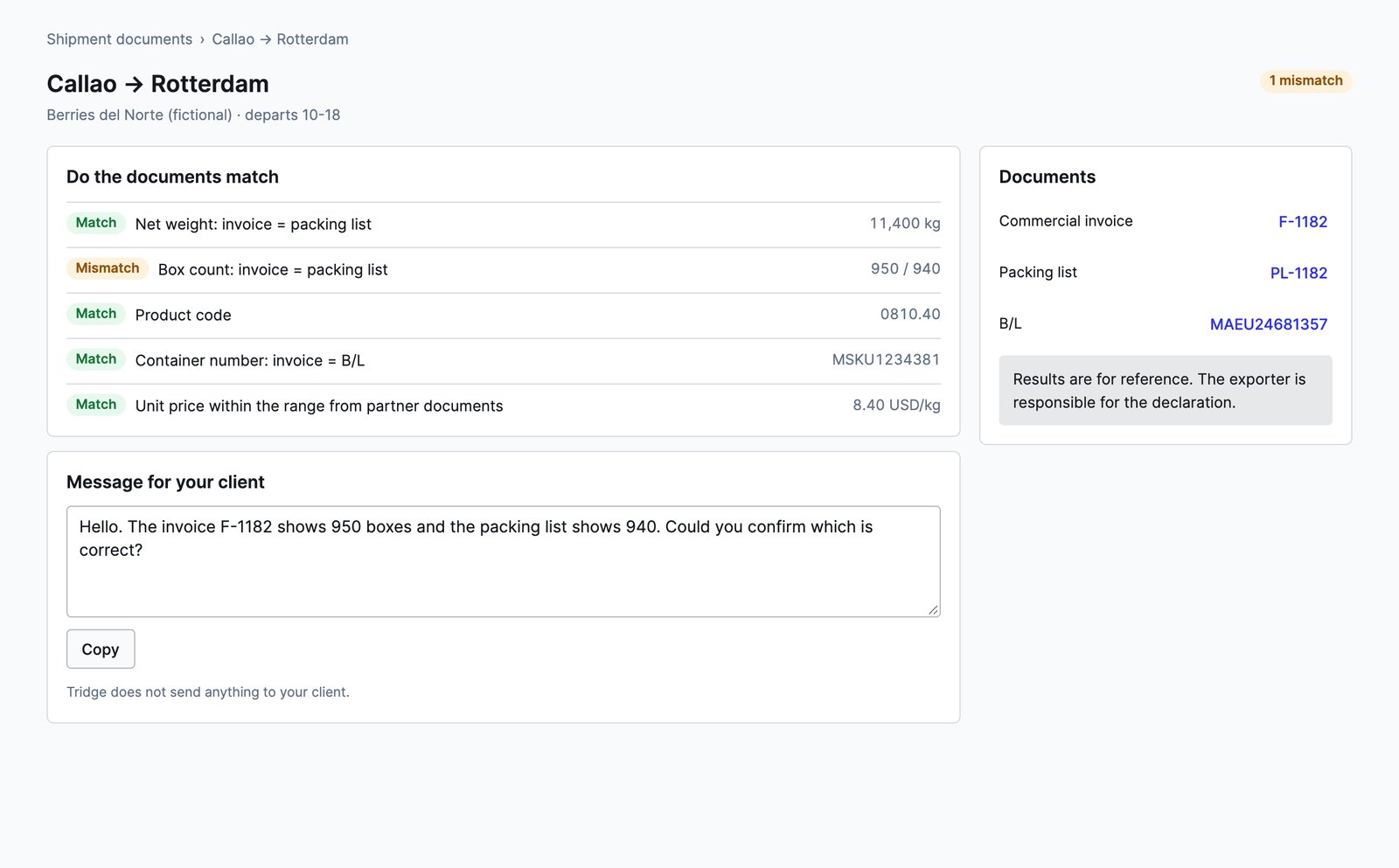
Shippers to contact
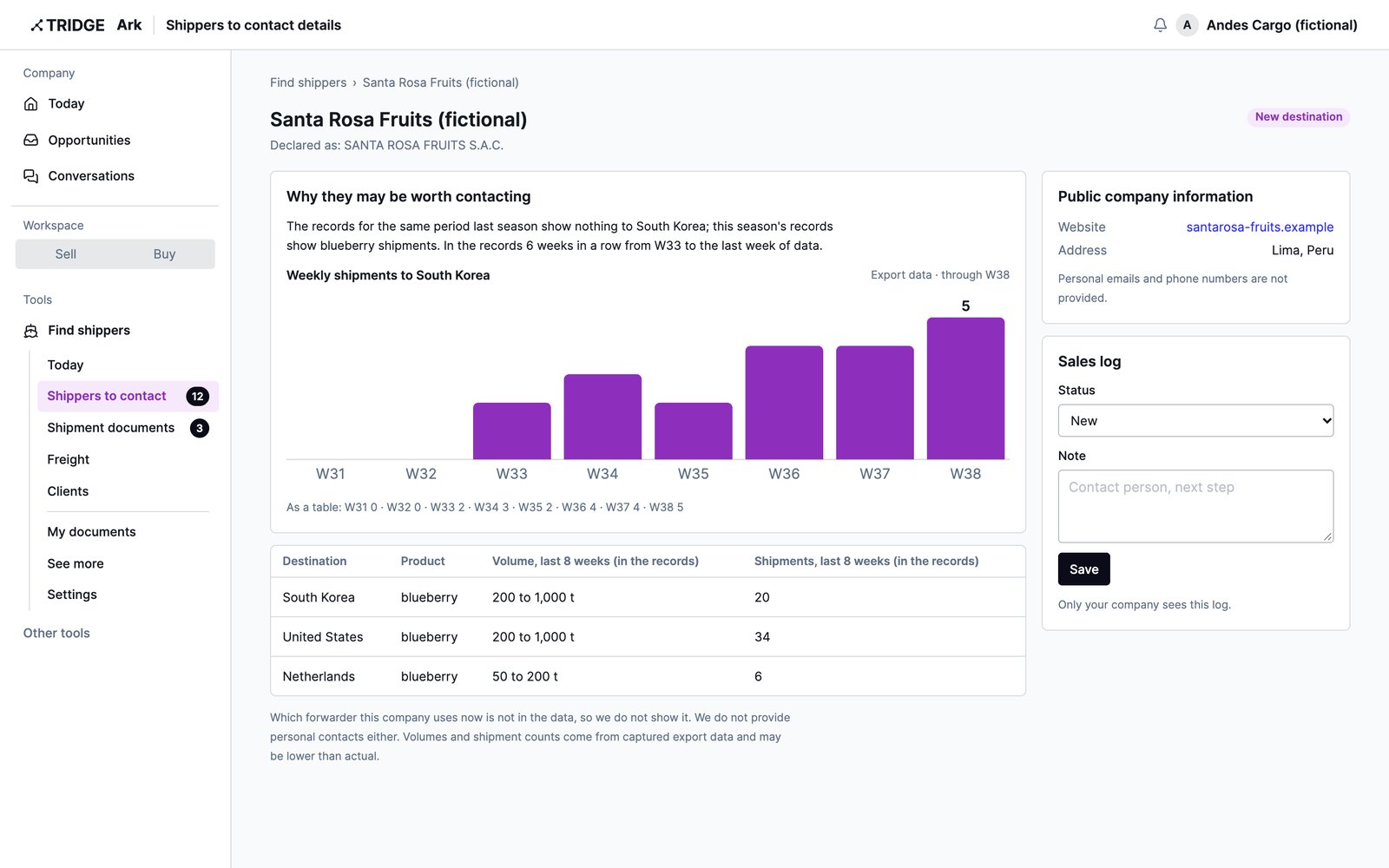
New export shippers, straight from the records
Pick products and destinations, and Ark selects the shippers whose declarations show a change. Each one comes with the record-based reason to call now.
- Started shipping to a new destination
- First appearance in this season's records
- Growing well above the product average
Quote requests
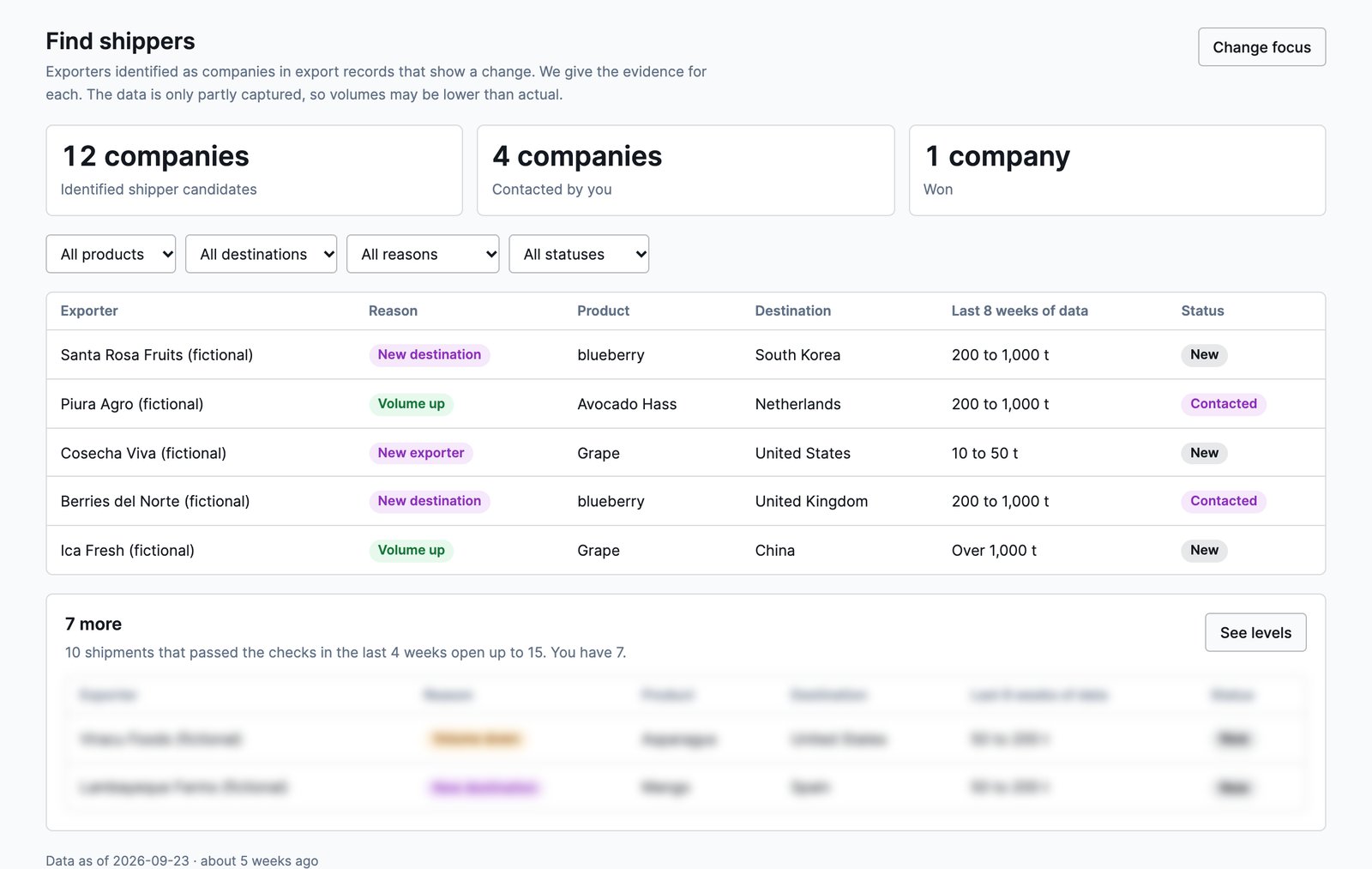
Bid on shippers' freight requests
When an exporter or importer on Tridge posts the product, route, container and ship week, the request appears in your list. Send your rate and transit time. Only the shipper who asked sees them.
- Shipper name and exact volume after acceptance
- Competing rates and bid counts stay hidden
- Accepted bids open a freight conversation
Shipment documents
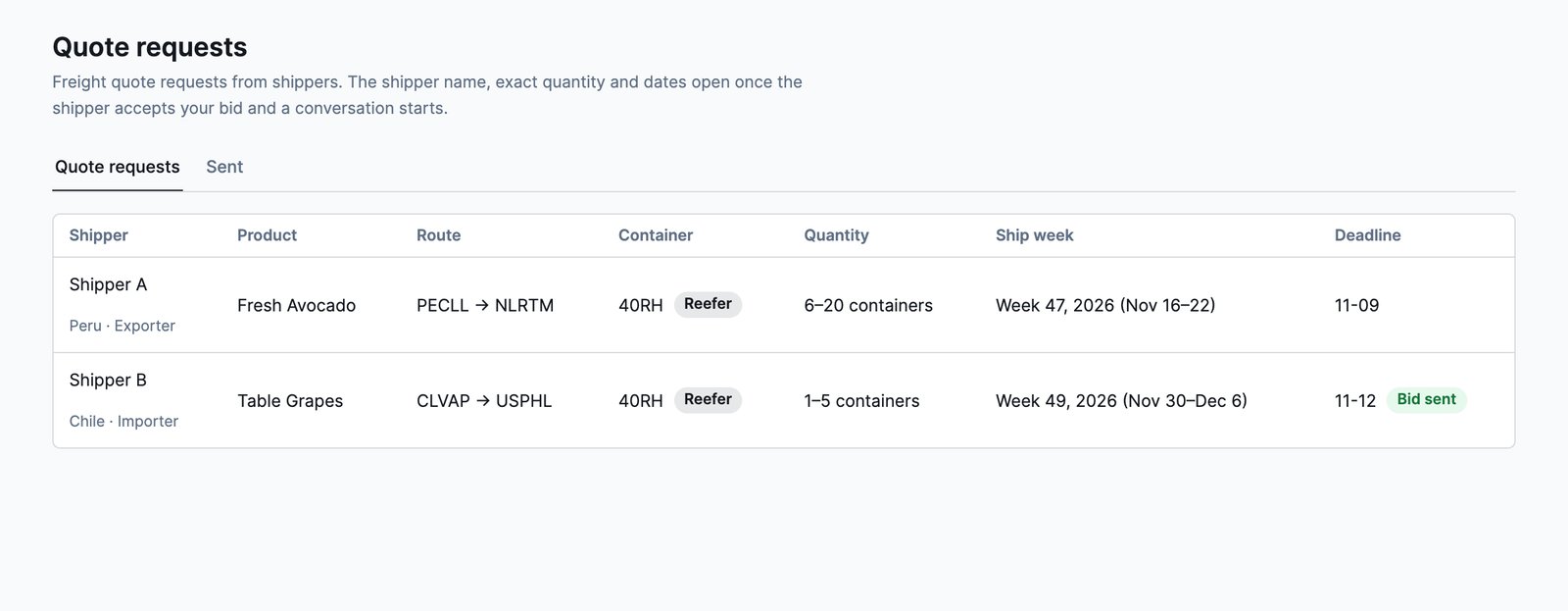
Match document figures before departure
Upload your client's invoice, packing list and B/L. Ark cross-checks box count, net weight and container number, and drafts the message to send your client for any mismatch.
- Documents grouped by shipment
- Mismatches shown with the figures
- Ready-to-send client message
Connection requests
If a shipper you picked is on Tridge, ask to connect with a short introduction. Acceptance opens a freight conversation.
Freight quote tracking
Quotes are organized by route and container, with a reminder two days before expiry. With five or more companies on a route, you see where your quote sits.
How to start
Start with one freight quote
- 01Log in with TridgeThe same account as Eye and Ark. Signing up takes a minute.
- 02Pick products and destinationsSearch products by name or HS code, and destinations by name.
- 03Upload one quoteA past freight quote or client commercial invoice opens up to five shippers to contact and the quote request list.
Data
Shippers showing a change now
Shippers with a new destination, a first appearance or a shipment increase in Peru's export declaration records through 2026-09-24. Counts vary with timing and product.
Data principles
Client documents and your rates stay inside your company
Frequently asked questions
Is it really free?
Yes. There are no payment details. Shipper information opens with the documents you upload, not a fee.
Why upload a document first?
Shipper and price information is shared among companies that contribute price data. Uploaded prices are anonymized and used only in ranges pooled from five or more companies. A B/L or packing list has no price, so it does not open anything on its own.
Which documents can I upload?
Freight quotes, freight invoices, and your client's commercial invoice, B/L and packing list, as PDF, PNG or JPG.
How current is the shipper information?
Peru's export declaration records are usually published two to three months late and have gaps. Each shipper shows how far the records go.
Can other companies see our rates or bids?
No. Only the shipper who asked sees your bid. Route comparisons use ranges pooled from five or more companies, so no single rate is revealed.
How do I see more shippers?
Ten shipments that pass the check in four weeks open up to 15 shippers and the full eight-week trend. Thirty open all of them. Levels are recalculated every Monday, and shippers you have seen stay.
Shipper, price and share information is based on Peru's export declaration records. The records are published with a delay and do not capture every shipment, so they can differ from actual trade. They are a reference for your business decisions.
You can now start without an invitation
Sign up, verify your company, and go straight to the matching tool in Tridge Ark. Verification takes about a minute during sign-up. If it goes to document review, the link in the result email takes you there.